
 Native Phrase Lab
 Willowbrook
Articles · Speaking in the age of AI · 2 of 3
How to practise speaking English with AI.
Free, step by step. You can now practise speaking English every day with an AI app on your phone. Here’s exactly how I would do it, with messages you can copy, a seven-day plan, and the mistakes to avoid.

James · English teacher for over ten years9-minute read · 21 October 2026
Open a free AI app that lets you talk out loud. Paste in my “speaking partner” message. Choose a real situation, like a café or a job interview. Speak for ten minutes, with no typing. At the end, ask for your five most useful mistakes. Then do the same thing again tomorrow.
What you need
- A phone or a computer with a microphone.
- A free AI app that lets you talk out loud. Most of the big ones do now, for example ChatGPT, Google Gemini and Microsoft Copilot. Look for a microphone, a sound-wave picture, or a button that says “Voice” or “Live”.
- Headphones, if you have them. You hear better, and the app hears you better too.
- Ten minutes and a quiet place.
The free versions are enough to start. You don’t need to pay for anything.
Step 1: Tell the AI how to help you
This is the most important step. If you just start talking, most AI apps speak too fast, give very long answers and never correct you. So first, give it some rules.
Copy this message, paste it into a new chat and send it. (People call a message like this a “prompt”. It’s just an instruction for the AI.)
You are my English speaking partner. My level is about B1 (intermediate). Please use British English. Speak slowly and clearly, and keep your answers short: two or three sentences. Ask me one question at a time, and wait for my answer. Don’t correct me while I’m speaking. After every three of my answers, tell me one mistake I made and a better way to say it. Then carry on with the conversation.
Change “B1” to your own level. Not sure what your level is? Take my free level test. It takes about ten minutes.
Then press the voice button in the same chat, so the AI remembers your rules.
Step 2: Choose a real situation
Practise the conversations you will really have. Here are six. Copy one, send it in the same chat, then start speaking.
Let’s do a role play. You work in a busy café in London, and I’m a customer. Start by saying hello and asking what I’d like.
Let’s do a role play. You are a doctor at a GP surgery in the UK, and I’m a patient. I’ve had a sore throat for a week. Start by asking how you can help me.
A GP surgery is the local doctor’s in the UK. GP means “general practitioner”, a family doctor.
Let’s do a role play. You are interviewing me for a job as a [write your job here]. Ask me common interview questions, one at a time. Be friendly but professional.
Let’s do a role play. You are my new neighbour in a small English town, and we meet outside our houses. Start with some small talk about the weather.
Let’s do a role play. You work at a hotel reception, and I’m phoning to change my booking. Speak a little faster, like a real phone call.
Let’s do a role play. We are in a short team meeting at work. Ask me to explain my idea for a new project, then ask me two questions about it.
Step 3: Speak for ten minutes, out loud
Now press the voice button and talk. A few simple rules:
- Don’t type. The whole point is speaking.
- Answer in full sentences. Not just “Yes”. Try “Yes, I’d love a cup of tea, please.”
- Don’t know a word? Explain it. “It’s the thing you use to open a bottle of wine.” This is a real skill, and native speakers do it all the time.
- Don’t stop when you make a mistake. Just keep going. Speaking fluently means keeping going.
- Take control. If the AI speaks too fast, say, “Please speak more slowly.” If it talks too much, say, “Shorter answers, please.”
Step 4: Ask for your feedback
When you finish, send this:
Thank you. Now please give me feedback on this conversation. List my five most useful mistakes. For each one, show what I said and a more natural way to say it. Then give me five useful phrases for this situation that I should learn.
Write the answers in a notebook, or save them in a note on your phone. Then say each correct sentence out loud, three times. Yes, out loud. Your mouth needs the practice, not just your eyes.
Step 5: Do the same thing tomorrow
This step is boring, but it works: repeat. Do the same situation two or three days in a row. The first time is hard. The second time is easier. By the third time, you’ll sound much more natural. Then choose a new situation.
A simple seven-day plan
| Day | What to do |
|---|---|
| Day 1 | At a café. Your first try. |
| Day 2 | At a café again. Use your five new phrases. |
| Day 3 | Small talk with a neighbour. |
| Day 4 | Small talk again. This time, ask the AI to speak a little faster. |
| Day 5 | A phone call to a hotel. Phone calls are hard, because you can’t see a face. |
| Day 6 | A job interview or a meeting at work. |
| Day 7 | Your choice. Talk about your week for ten minutes, then ask for feedback. |
What AI can’t do well (yet)
I think these tools are wonderful. But I want you to know their limits, so you don’t trust them too much.
1. It isn’t a good pronunciation teacher
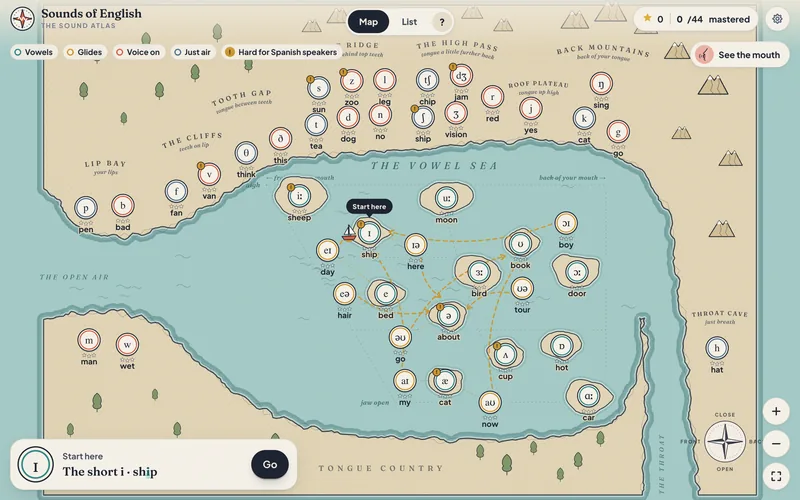
When you speak, the app first turns your voice into text. To do this, it uses the other words to guess what you meant. So in a restaurant role play, if you say “Can I have the bell, please?”, it will probably hear “bill”, and it may never tell you.
That’s kind, but it’s a problem. The AI understood you. That doesn’t mean a busy waiter in a noisy restaurant will. For pronunciation, you need someone, or something, that listens to the sounds, not just the words.
2. It’s too polite
Real people interrupt, speak quietly, and use slang. Sometimes, ask the AI to “speak more naturally, like a real person who is in a hurry”.
3. It’s sometimes wrong
AI can make mistakes about English, especially about the differences between British and American English. If something sounds strange to you, check it.
4. It agrees with you too much
Most AI apps are very kind. If you want more corrections, say: “Be strict with me. Correct every mistake.”
Keep your private information private
Don’t tell an AI app anything you wouldn’t tell a stranger: passwords, bank details, your full address, or private health information. In role plays, just make things up. It’s practice, not real life. And look in the app’s settings to see if your conversations are saved.
Start today
You don’t need a teacher, a class or any money to start speaking English every day. You need ten minutes, your phone and a little bit of courage. Copy the first message, choose the café, and say hello.
Okay, good luck. You can do this.
James